LuckyDays Casino South Africa Mobile App
LuckyDays Casino delivers a web-based mobile experience optimized for Android and iOS devices across South Africa. No download required—access over 2,800 casino games directly through your smartphone browser with full ZAR support. Play slots, live dealer tables and crash games from Johannesburg to Cape Town with the same account credentials you use on desktop. The progressive web app technology ensures fast loading times and offline game caching without consuming storage space on your device.
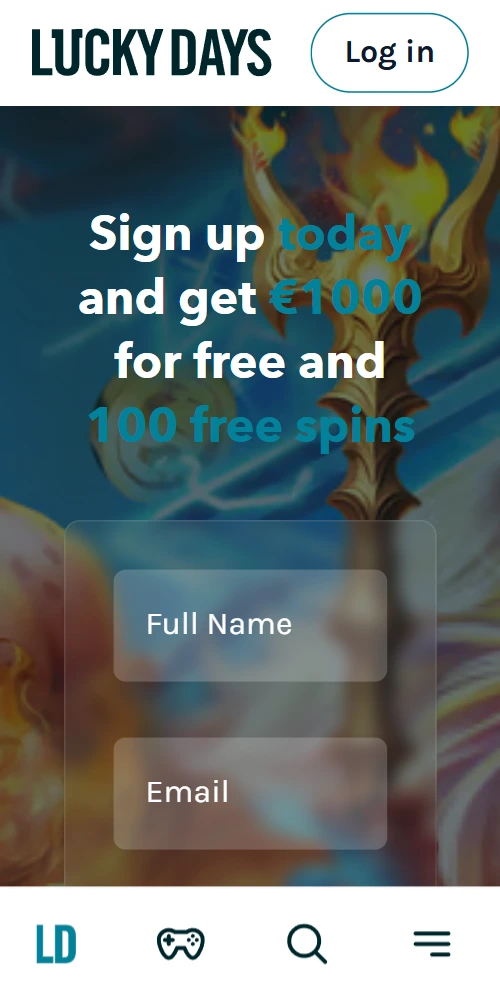
Mobile Platform Features
The LuckyDays mobile platform operates as a progressive web application rather than a native app store download. This approach bypasses Google Play and Apple App Store restrictions common in the South African iGaming market, while providing nearly identical functionality to installed applications.
📱 Cross-Device Compatibility
Works seamlessly on Samsung, Huawei, Xiaomi, Oppo and other Android manufacturers running version 8.0 or higher. iPhone users need iOS 12.2 minimum for full PWA support—iPad and tablets also compatible with responsive scaling.
⚡ Instant Access
Navigate to the casino URL through Chrome, Safari or Firefox mobile browsers. Tap the "Add to Home Screen" option in your browser menu to create a desktop icon—launches like a native app but requires no installation or updates.
💾 Zero Storage Usage
Unlike downloaded apps that consume 150-300MB of device storage, the PWA stores only cached game data temporarily. Clear your browser cache anytime to free space; the platform reloads instantly when you return.
🎰 Full Game Library
All 2,800+ desktop titles available on mobile—slots from Pragmatic Play, Evolution live dealer streams, Spribe crash games and table game variants. Touch controls optimized for portrait and landscape orientations with swipe navigation between categories.
💳 Mobile Banking
Ozow instant EFT processes in seconds directly through mobile browsers. Capitec Pay, OTT Voucher redemption and cryptocurrency deposits work identically to desktop—minimum R20 applies across all methods with same limits.
🔔 Push Notifications
Opt-in notifications alert you about bonus activations, withdrawal approvals and tournament updates. Disable through browser settings if you prefer silent gameplay—notifications require explicit permission on both Android and iOS.
How to Install on Android Devices
Android installation takes roughly 30 seconds and doesn't involve the Google Play Store. The process works identically across Samsung, Huawei and other manufacturers.
Step-by-Step Android Setup
Open Chrome browser and navigate to the LuckyDays Casino homepage—login with your existing credentials or register a new account if you haven't already. Tap the three-dot menu icon in the top right corner of Chrome; scroll down until you see "Add to Home screen" or "Install app" depending on your Android version. Confirm the installation—a shortcut icon appears on your home screen within seconds. Tap this icon anytime to launch the casino in full-screen mode without browser navigation bars visible.
The PWA saves your login session, so you won't need to re-enter credentials each visit unless you manually log out. Game history, bonuses and account balance sync automatically with the desktop version—play a few spins on mobile during your commute, then continue the same session on your laptop at home.
Installing on iPhone and iPad
iOS installation uses Safari instead of Chrome due to Apple's browser restrictions. Open Safari and visit the casino URL—ensure you're using Safari specifically, as Chrome on iPhone doesn't support PWA installation. Tap the Share button at the bottom of the screen (square icon with upward arrow). Scroll through the options and select "Add to Home Screen"—you'll see a preview of the icon and can rename it if desired. Tap Add in the top right—the casino icon appears on your home screen alongside native apps.
Safari occasionally clears PWA cache more aggressively than Android browsers, so you might notice slightly longer initial load times after days of inactivity. Once loaded however, gameplay runs smooth with HD graphics and minimal lag on 4G or WiFi connections.
Mobile vs Desktop Experience
Functionality remains largely identical between mobile and desktop platforms; though certain visual elements adapt to smaller screens.
🎮 Game Selection
All games available on both platforms—some older Flash-based titles from 2015-2018 may display poorly on mobile due to outdated coding, but the operator has removed most of these from the active library.
💰 Banking Options
Identical deposit and withdrawal methods across devices. Mobile-specific options like Zapper QR codes actually work better on smartphones where you can scan directly through your banking app.
🎁 Bonuses & Promotions
Same welcome package, free spins and loyalty rewards apply regardless of device. Claim bonuses through mobile and wager them on desktop—the system doesn't distinguish between platforms for promotional eligibility.
📊 Account Management
Full access to deposit history, withdrawal requests, KYC document uploads and support chat. The mobile interface condenses some menu structures into collapsible sections to save vertical space on smaller screens.
⚙️ Performance
Mobile requires stable 4G/5G or WiFi for optimal performance—live dealer streams consume approximately 200MB per hour of HD video. Adjust stream quality in settings if you're on limited data plans.
🔒 Security
Same 128-bit SSL encryption protects mobile sessions. Biometric login (fingerprint, Face ID) available if your device supports it—enable through account security settings for faster authentication.
Frequently Asked Questions
Do I need to download an app from Google Play or App Store?
No—LuckyDays uses progressive web app technology that installs directly through your mobile browser without involving app stores. This bypasses Google and Apple's restrictions on real-money gambling apps in South Africa.
Can I use my existing desktop account on mobile?
Yes; the same login credentials work across all devices with synchronized balance, bonuses and game progress.
How much mobile data does the casino use?
Slot games typically consume 10-20MB per hour, table games around 5-15MB, while live dealer HD streams use 150-250MB hourly—exact usage depends on connection quality and stream resolution settings.
Will the mobile version drain my battery quickly?
Battery consumption is comparable to other web-based applications—HD graphics and constant server communication use more power than basic apps, but not significantly different from watching YouTube or browsing social media.
Can I play offline?
No—real-money casino games require continuous server connection to verify bets and update balances. The PWA caches some interface elements for faster loading, but actual gameplay needs internet access.